


User Roles, Team & Access Management
Manage flexible permissions, user roles, and team structures to adapt your LMS to your organization — not the other way around.
20+ Years Empowering e-Learning Platforms
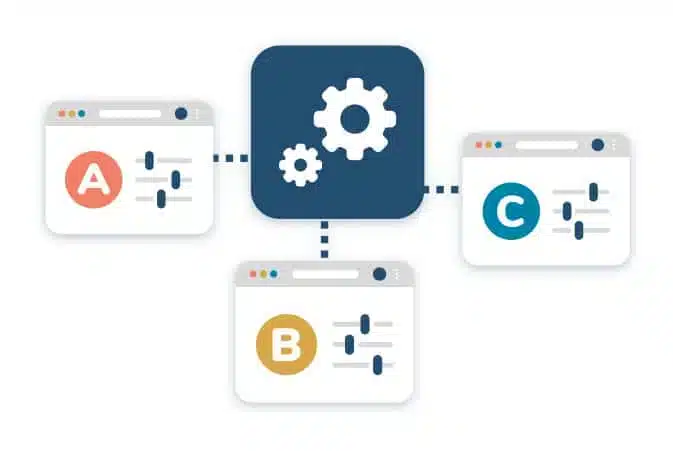
Adapt the LMS to Your Teams—Not the Other Way Around
Your organizational needs are unique. That’s why Dokeos LMS offers a customizable structure that mirrors your operational reality.
Full customization of role names & labels
Tailor your terminology: learners, associates, trainees, collaborators, etc.
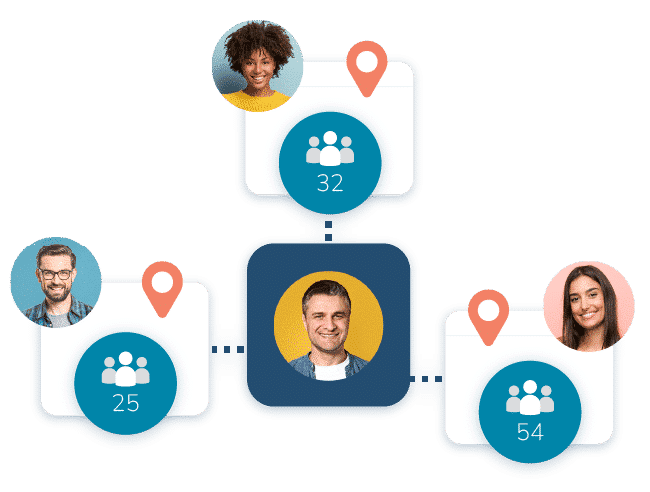
Dynamic team / group management
Reflect your real org chart—by department, branch, project, or region.
In Dokeos, a group can function like a team led by a manager or group leader. This person can manage enrollments, track group-specific statistics, and send reminders or follow-ups to participants.
In Dokeos, groups can be used to structure and efficiently manage multiple subjects or classes. This simplifies user administration on your training portal through centralized, consistent management of access rights and learning paths.
Use Dokeos groups to organize Continuing Professional Development (CPD) sessions with defined start and end dates. All participants follow the same schedule, while automated attendance tracking and reporting simplify your compliance and billing processes.
Precise access control
Grant only the permissions each role needs—no more, no less.
Predefined Roles for Every School of Usage
Dokeos LMS comes with five core roles, each with specific rights and capabilities:
Learner
The default role for learners enrolled in training programs:
- Access assigned learning paths
- Engage in forums
- View personal stats
Trainer / Instructor
Designed for training creation and facilitation:
- Create modules/courses
- Follow learner performance
- Facilitate forums and communicate with learners
- Moderate forums
Manager / Portal Manager
Perfect for analysis, reporting, and validation tasks:
- View platform-wide statistics
- Validate enrollments
- Oversee training usage
- View platform-wide statistics
Group Manager / Team Manager
Perfect for managers or training leaders:
- Manage users in their group
- Assign courses
- Track progress within their teams
- Direct communication with group members
Administrator
Full platform control
- Full configuration of the interface
- User and group management
- Creation of certificates and learning paths
- Rights and access management
- Consultation of global statistics
Advanced Tools to Structure & Organize
Beyond the standard roles, Dokeos LMS offers you tools to structure and organize your users.
Groups / Teams
- Create user groups aligned with departments, classes, business units.
- Assign managers, configure enrollment rules, send group-specific communications.
- Setting enrollment (automatic or managed by the manager)
- Targeted communication within groups
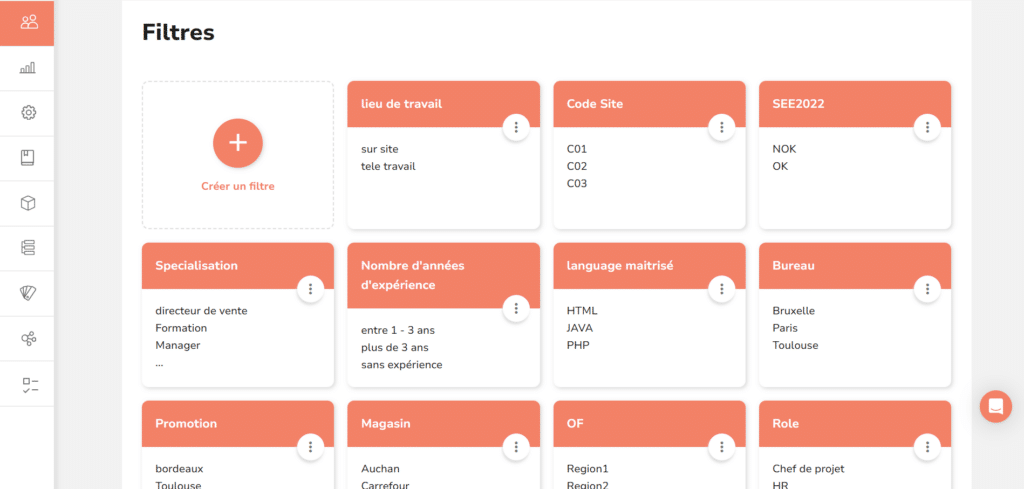
Smart Filters
Refine your searches and actions with relevant criteria:
- Search and act on users by attributes (role, department, manager).
- Precise targeting for training actions
- Segmented analysis of results
Custom Fields / Profile Attributes
Enrich user profiles with your specific data:
- Addition of information unique to your organization (employee ID, service code…)
- Use of this data for reporting and analysis
- Possible synchronization with your HRIS or CRM
Need a multi-entity structure? Discover multi-portals
- Creation of independent sub-portals per entity, subsidiary or country
- Full customization of each sub-portal (language, interface, messaging)
- Centralized management from the main portal
- GDPR compliance via separation of user data per portal
Dokeos LMS helps them, why not you?
For Camila, Training Manager
✅ Faithful reproduction of the org chart within the LMS
✅ Effective delegation of administrative and monitoring tasks
✅ Adaptation of the platform to company culture
✅ Facilitated compliance with regulations
For Franck, Manager
✅ Autonomy in managing his team’s training
✅ Immediate visibility on progress and results
✅ Dedicated communication tools with his team members
✅ Customized reporting for meetings and follow-ups
For Elodie, newly onboarded in an agri-food company
✅ Natural integration into an environment with familiar terms
✅ Clear identification of contacts and managers
✅ Consistent experience aligned with company culture
✅ Learning path adapted to her position in the organization
Want an example?
Over 600 Audika centers in France
Approximately 1,200 employees
Standardize and improve ongoing training of teams
By integrating Dokeos, we’ve standardized and optimized team training across our 600 hearing centers. Its intuitive platform helps us maintain high performance and service quality—guaranteeing an exceptional customer experience.
Julien TONNARD|Vice-président d’Audika
FAQ
Absolutely. The Dokeos role system allows you to assign personalized permissions to each user. Thus, only the relevant learners see the trainings intended for them, while trainers or group managers have access to content and statistics corresponding to their scope. This ensures security, clarity, and efficiency in deploying trainings.
Yes — with the multi-portal feature, you can host sub-portals with separate user bases, branding, and reporting, all governed from a central system.
So, ready to test it?
The platform adapts seamlessly to horizontal, vertical, or matrix structures—faithfully mirroring your organization and internal workflows.